 Notchwake
Your notch, awake.
Music, calendar, files and your AI agents, one hover from the notch.
7-day free trial, then US$ 1.99 a month or US$ 12.99 once.
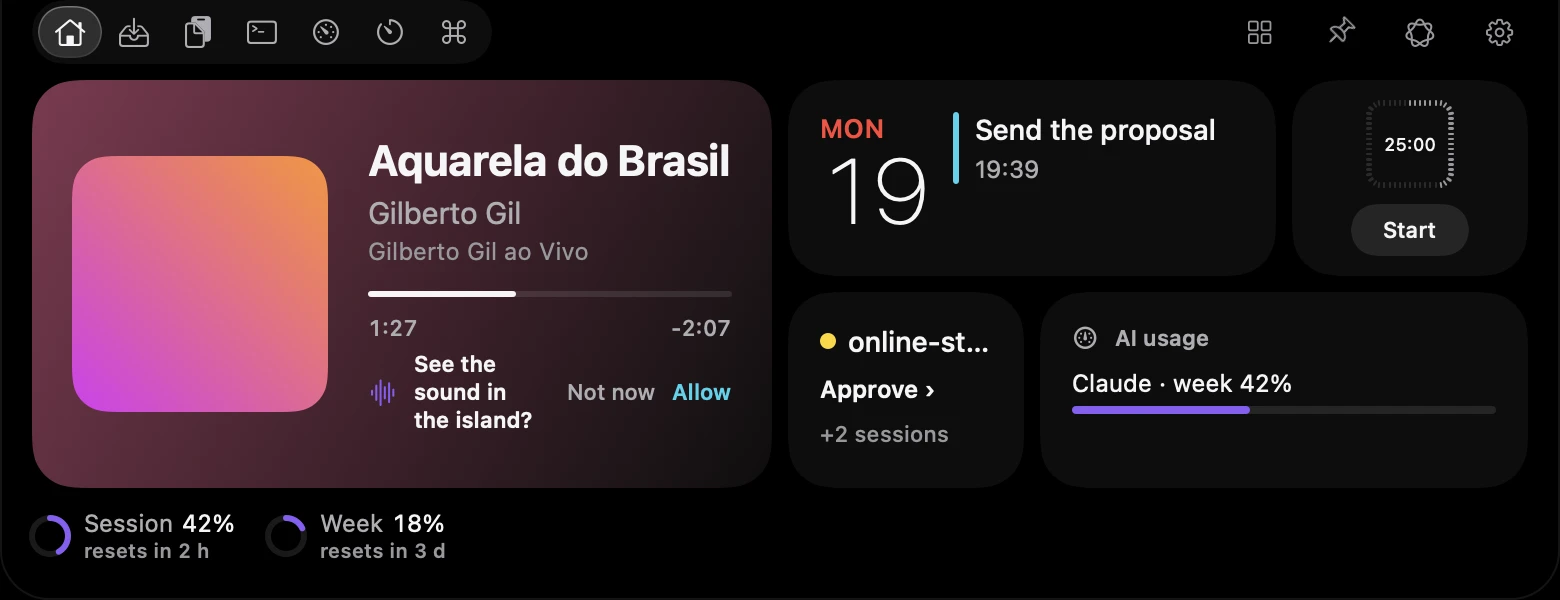
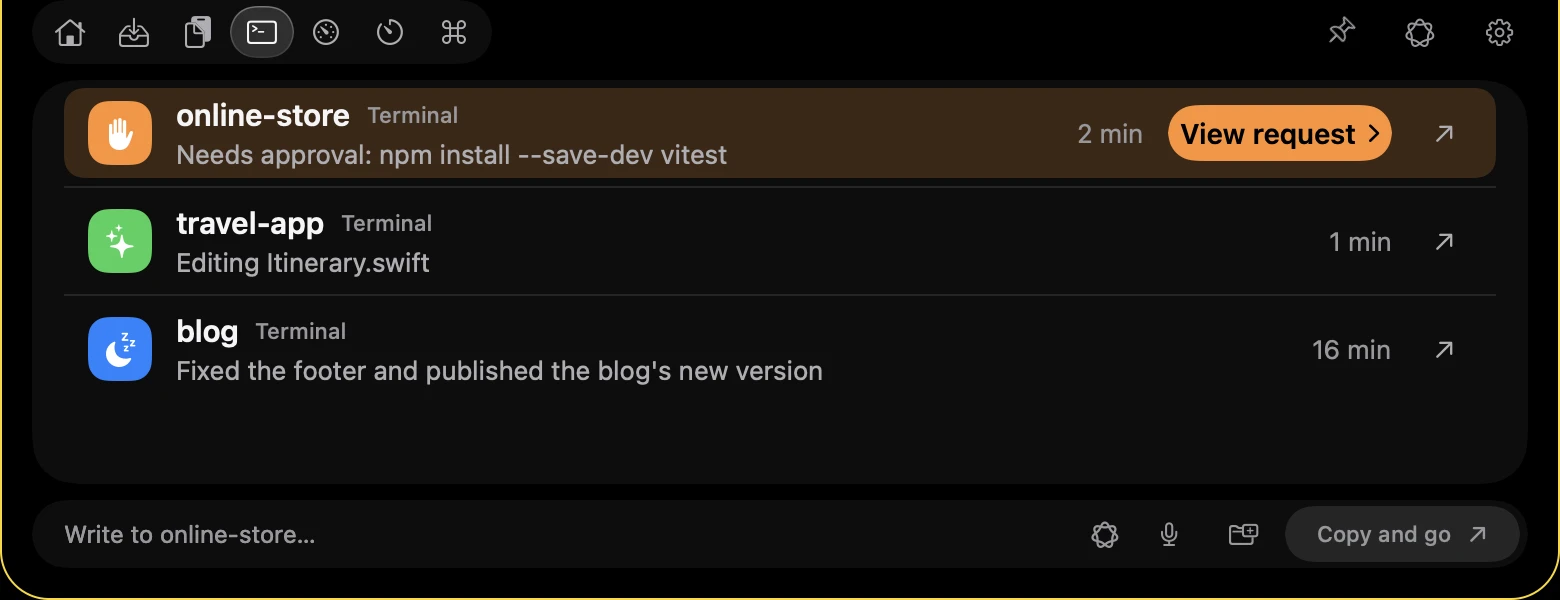
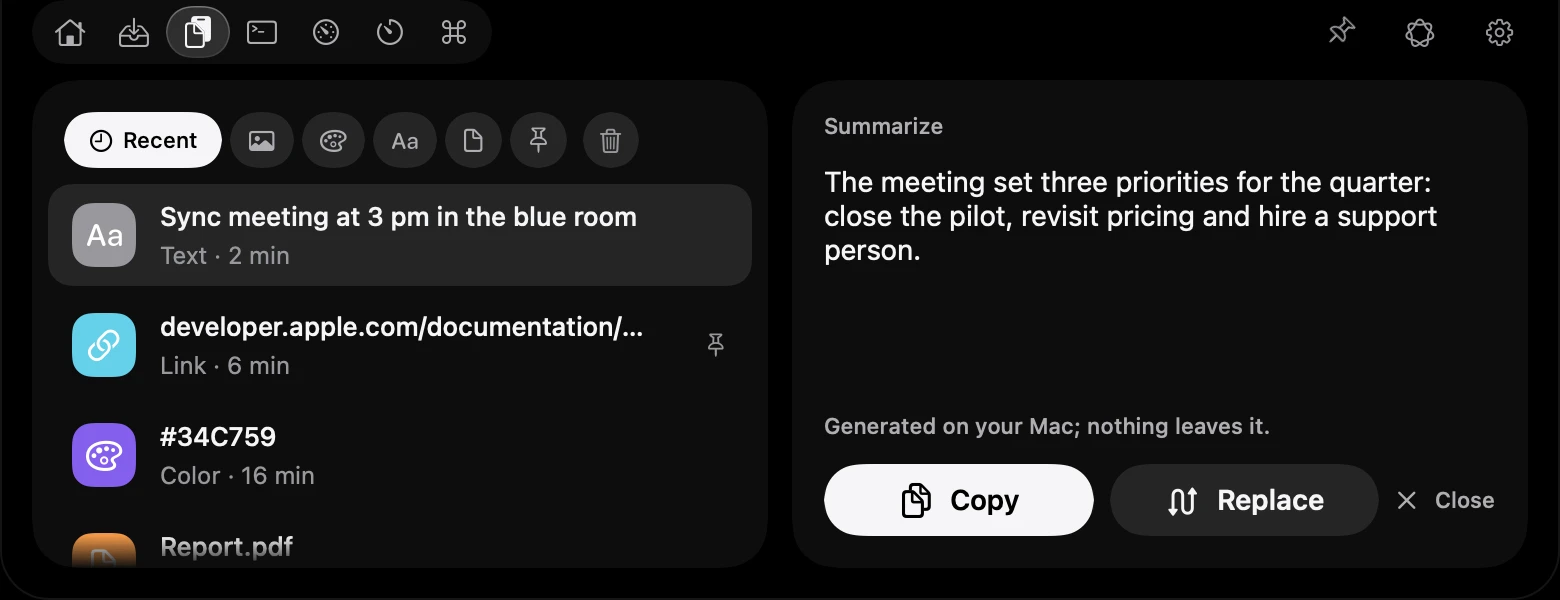
It opens on its own. Hover or tap the screen to take over.
Try the island.
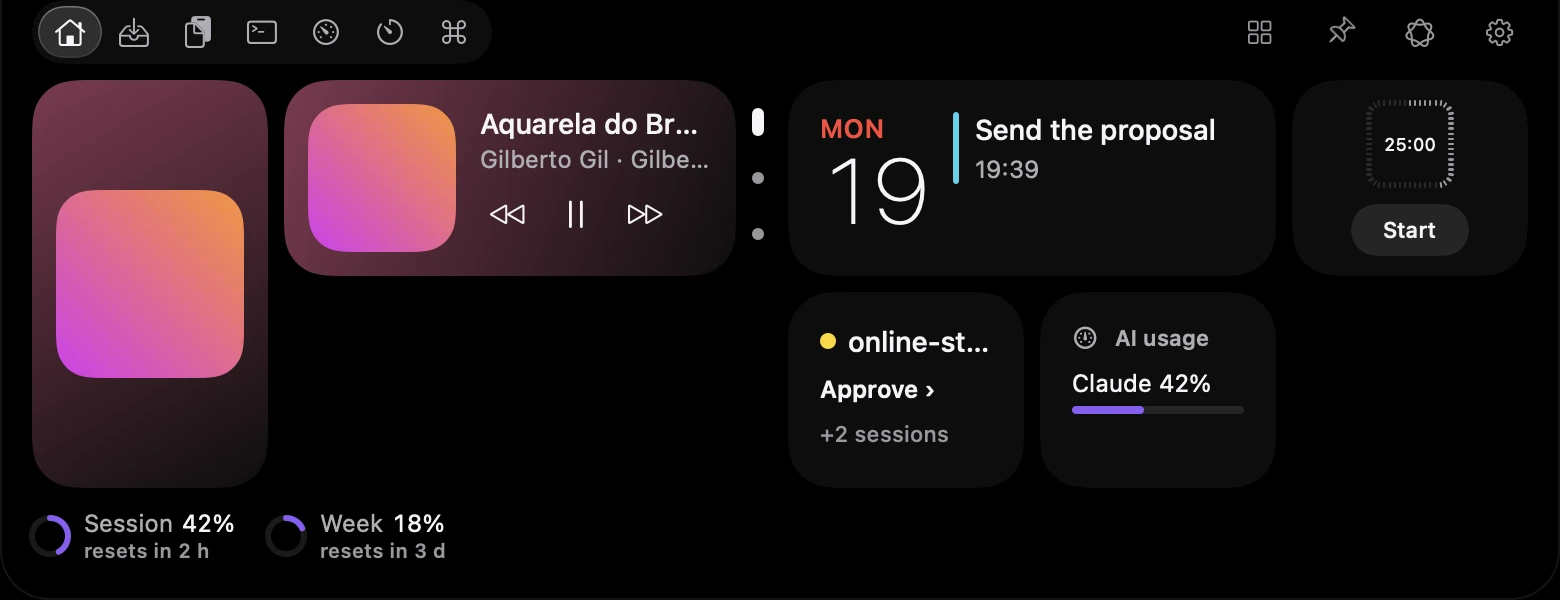
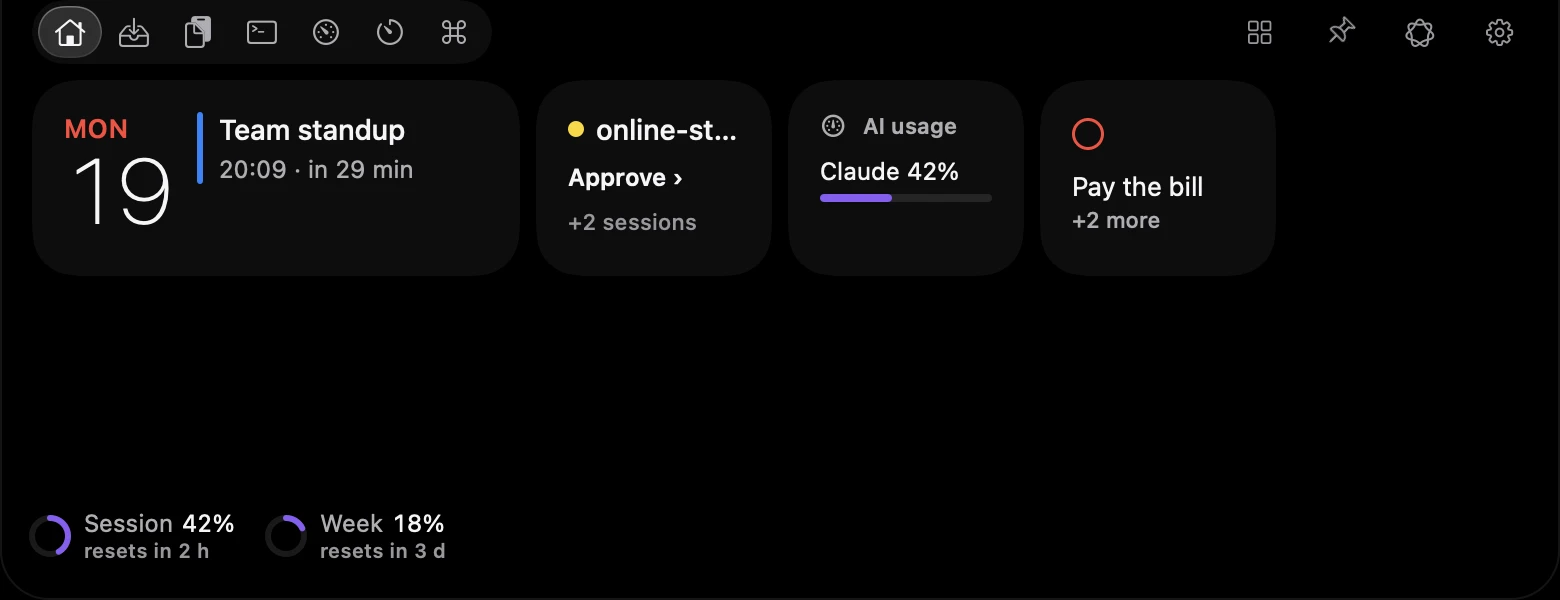
Music, next event, timer and AI usage in one glance.
Music, calendar, tray, clipboard, timer and AI usage, without opening an app.
Home and Stack
Cards you arrange: music, your next event, the timer, an agent session and AI usage. The Stack card shows the most useful widget now, and you flip through the rest.
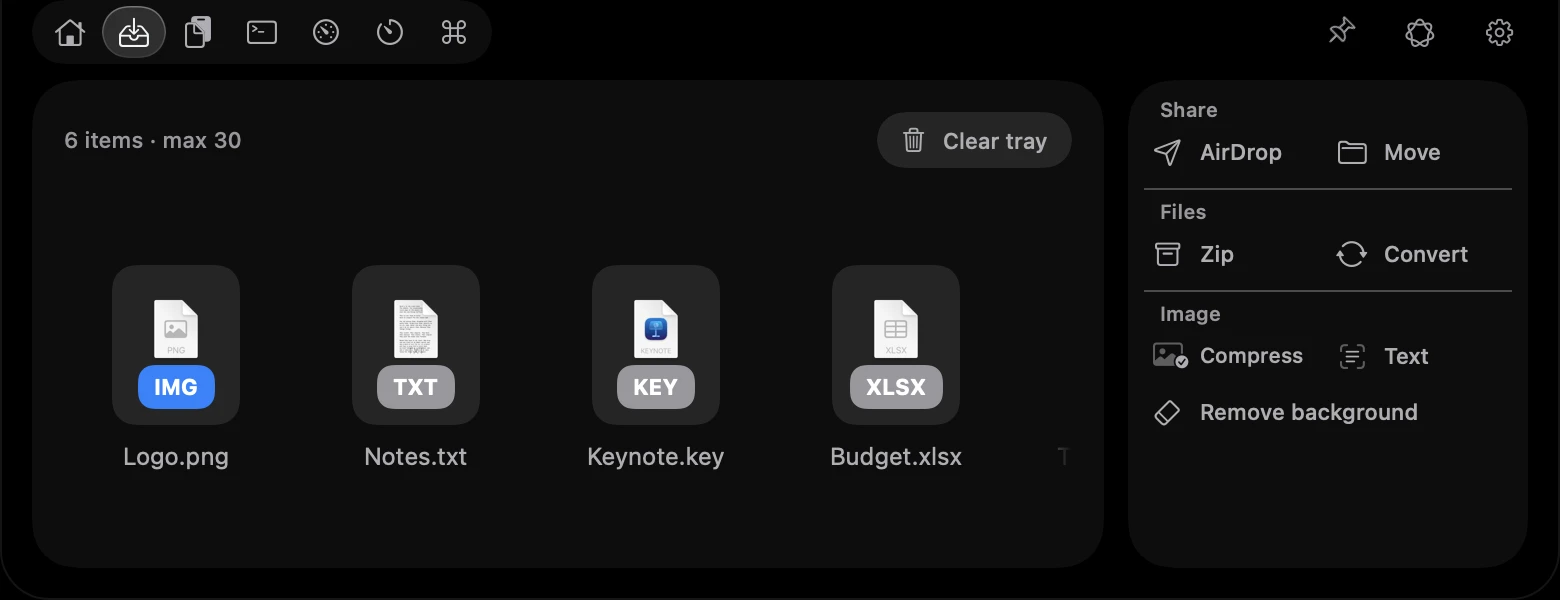
Tray
Drop files on the notch and drag them out later. Only a reference is kept, never a copy.
Clipboard with local AI
Summarize and Rewrite run on your Mac with Apple's model. Nothing leaves it.
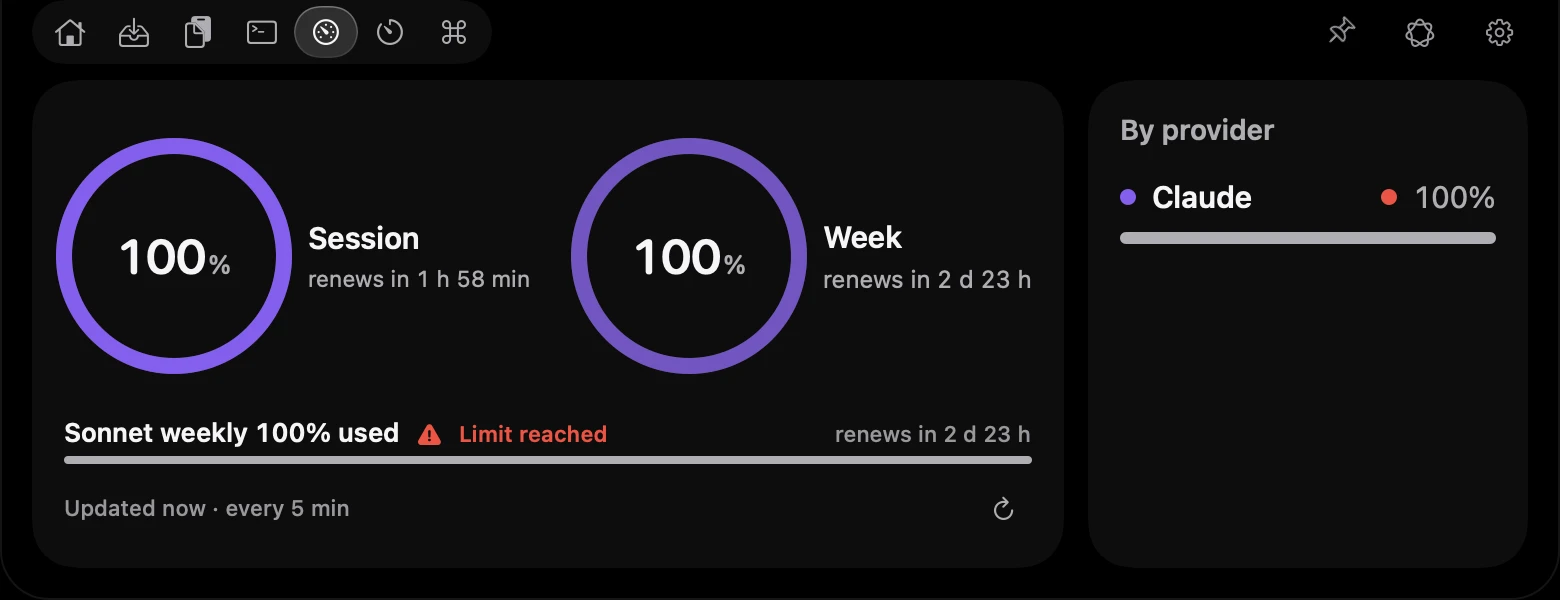
AI usage
Session and week for Claude and Codex as rings, with the time each one renews.
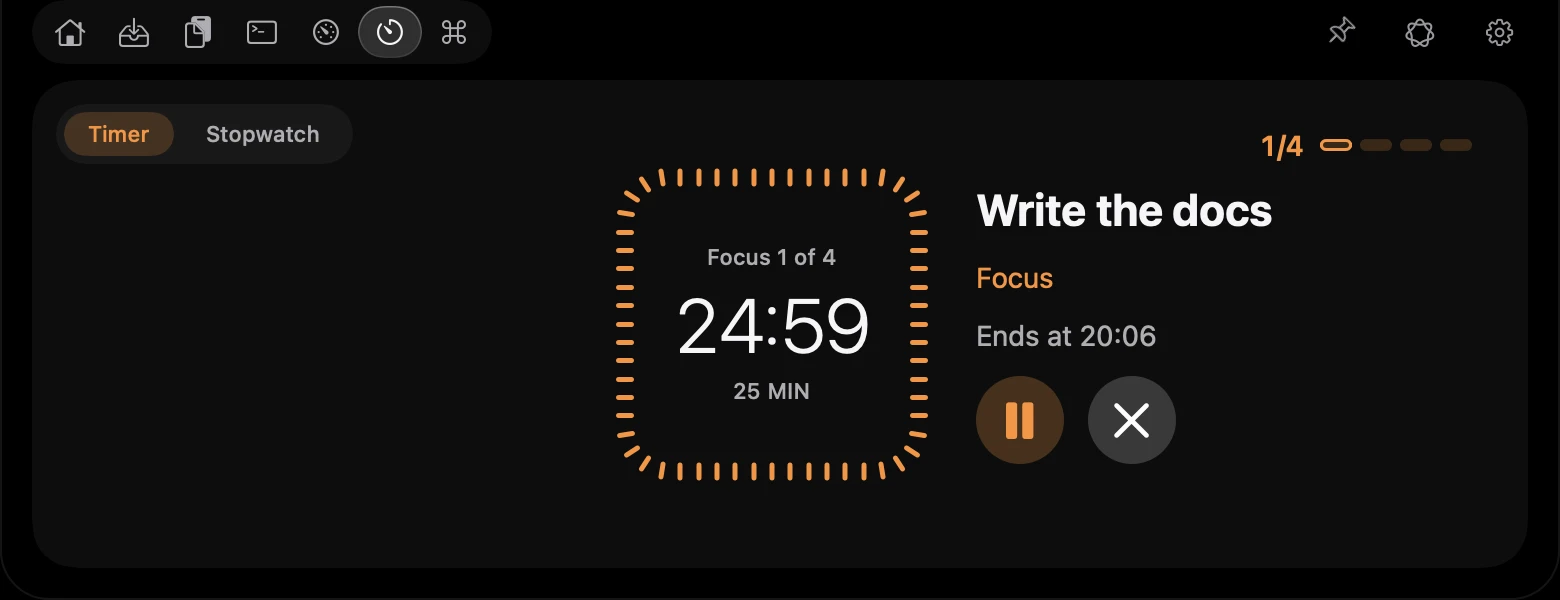
Timer and Pomodoro
A countdown ring of ticks in the closed notch, Pomodoro 25/5 and a sound when it ends.
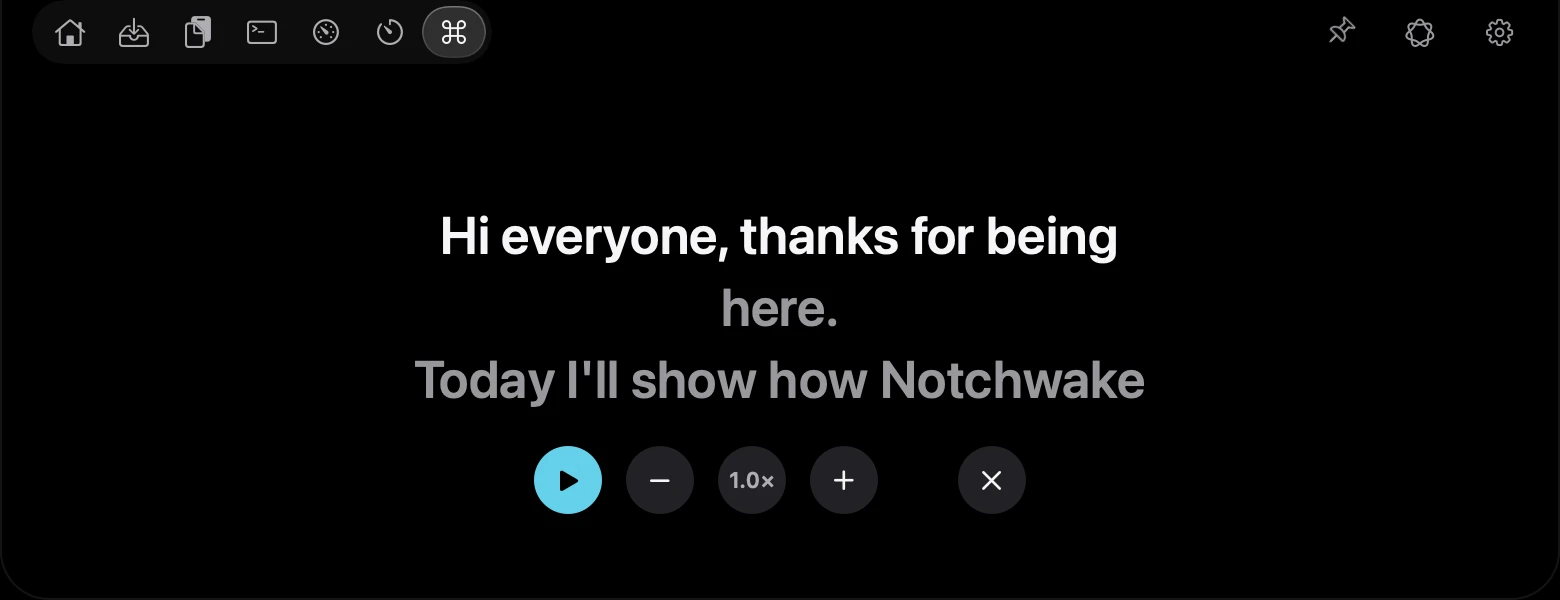
Shortcuts and Teleprompter
Open apps and folders, keep the Mac awake, and read your script right under the camera.
Calendar and Reminders
Today's pending, overdue and undated reminders. Tap the circle to mark one as done.
Up next
The next tracks of your Apple Music playlist, under the song that is playing. Spotify does not share its queue.
Synced lyrics
Optional and off by default. The current line follows the song, fetched from lrclib.net with the artist, track, album and length.
Mic and camera notice
The island tells you when the microphone or camera is in use. It only reads the in-use state, never the audio or video.
Accessory battery
Mouse, keyboard and trackpad levels in the island, with a low battery notice.
Downloads card
Files arriving in a folder you choose, with progress, ready to drag out.
Watch a region
Pick a piece of any window and the island tells you when it changes.
Modules
Turn features on and off. A module that is off stops its service.
Every display
The island also appears on your external monitors.
Calculator and converter
Type a sum or a unit in the island field and get the answer, with no network.
Volume HUD
A volume bar in the closed island. It only reads the level, never the audio.
Day summary
A short read of what is left today, written by Apple's model on your Mac (macOS 26).
Ask the island
Ask Apple's on-device model a question, with no network or web search (macOS 26).
Apple Intelligence on your Mac.
Shorten, smooth out, correct and translate text, and get a plain sentence about what an agent is asking before you allow it.
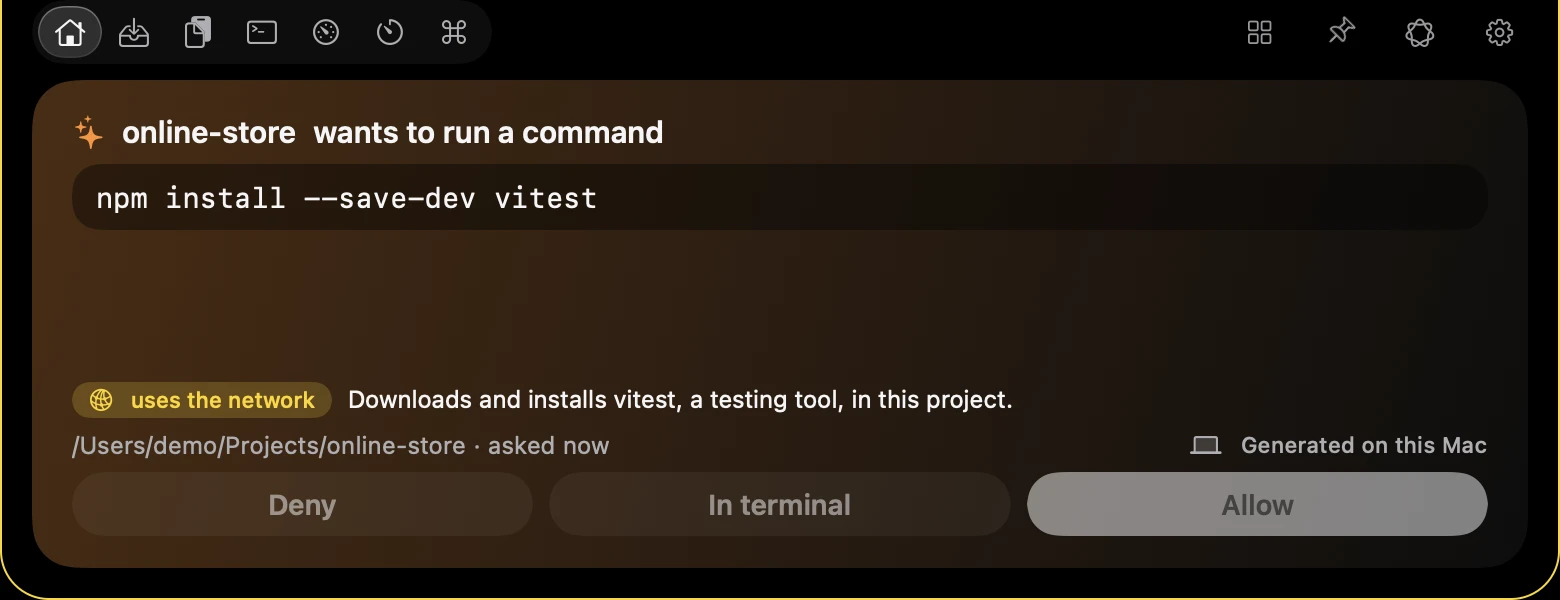
A request, explained
A risk tag and one plain sentence say what the command does. You still choose Allow or Deny, or leave it to the terminal.
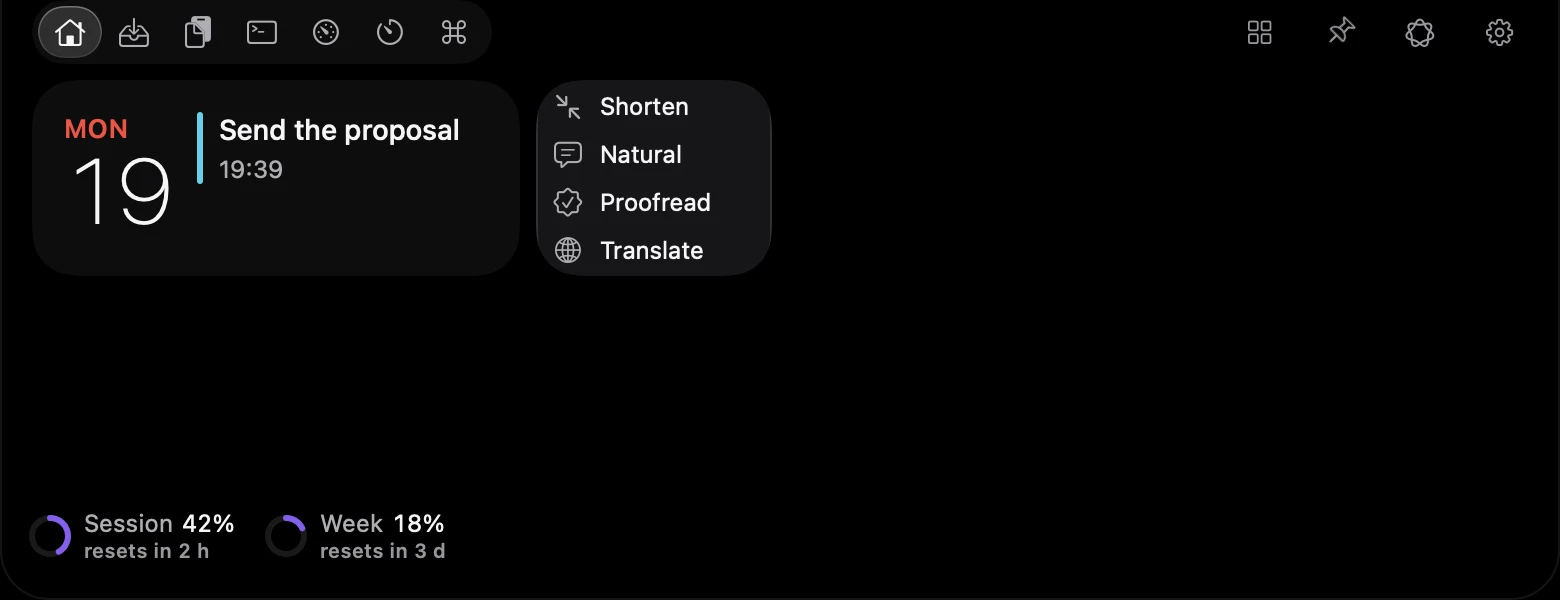
Quick note, rewritten
Shorten, make it more natural, fix the grammar or translate, right from the field.
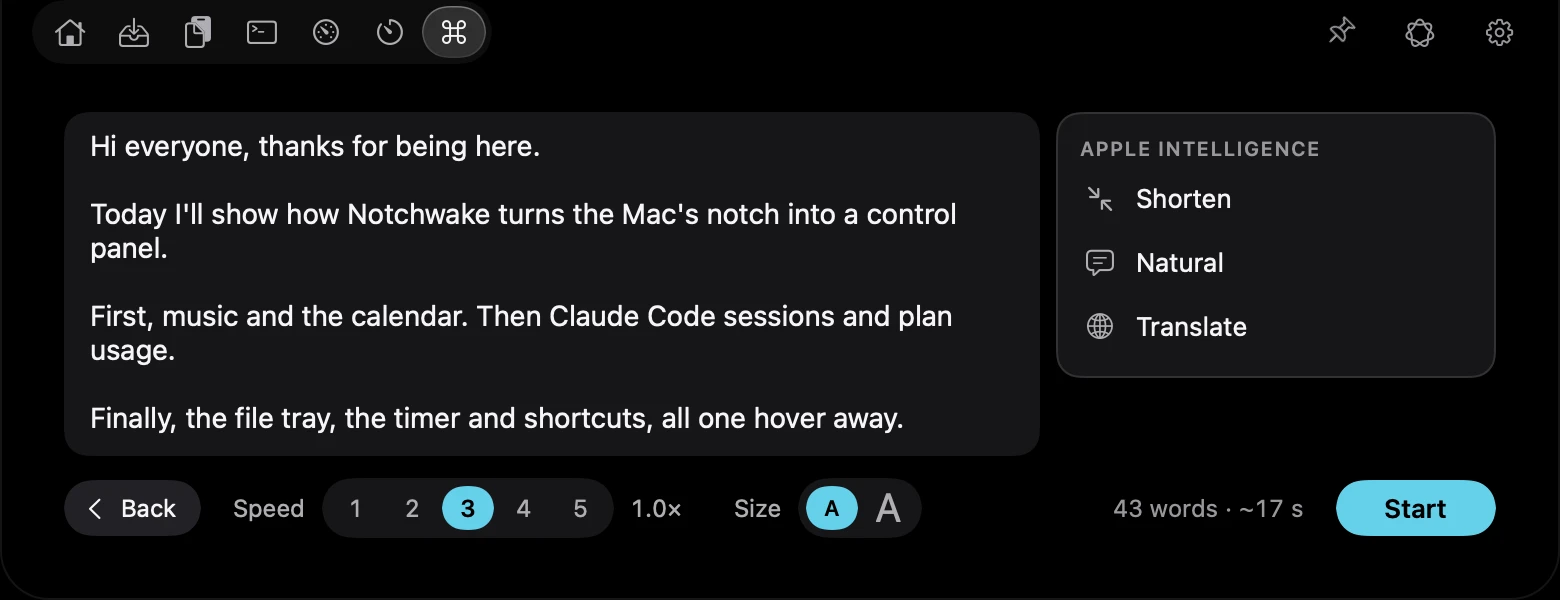
A script that reads better
The Teleprompter script gets the same menu before you hit Start.
It runs on your Mac with Apple's own model, only when you choose an action and only where Apple Intelligence is available (macOS 26). No network, and nothing is applied without your click. Without it, everything else works the same.
AI coding agents
Approve at the notch. Never on its own.
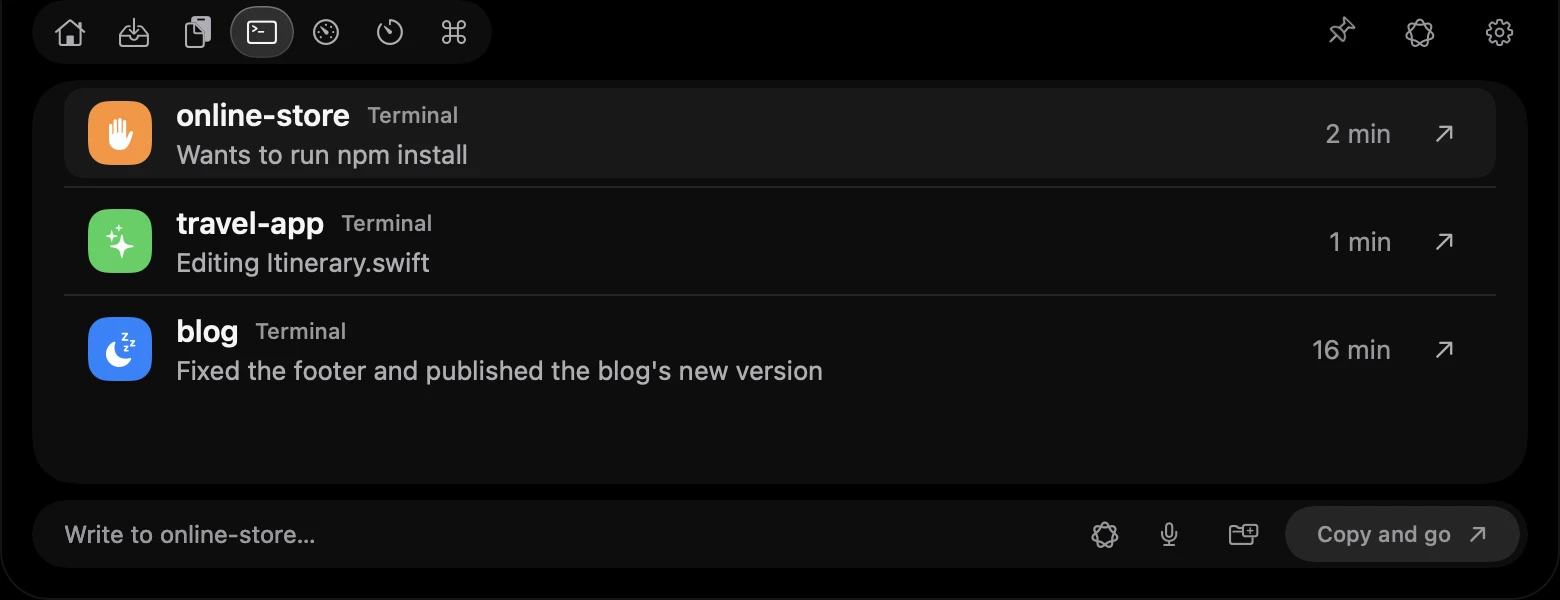
See every session of your AI agents in the terminal and answer permission requests without leaving what you are doing.
Works with the main AI coding agents that run in the terminal.
Only what the island shows in full
Allow only covers what you saw in full. A request too big to read goes to the terminal.
Never approves on its own
No click in 100 seconds, an error or a closed app: the terminal decides.
Nothing connects without your click
It connects only when you click, with a backup of the agent's settings and a way to undo.
No telemetry.
No account.
What the app reads stays on your Mac. Calendar, Reminders, clipboard, camera, Bluetooth and your agents start off and ask at the moment you use them.
The only network calls, all optional:
- Spotify artwork
- From the address Spotify itself gives, with no cookies.
- Plan percentage
- Only if you turn it on: uses your Anthropic sign-in token to read usage at api.anthropic.com.
- Weather
- Off by default. Open-Meteo gets the city and rounded coordinates.
- Updates
- Only when you click Check for updates, or once a day if you turn that on. It asks GitHub for the latest release and sends nothing else.
Try 7 days. Own it for US$ 12.99, or US$ 1.99/mo.
7-day trial
The whole app, nothing locked.
- Every tab, widget and module
- No account and no telemetry
- Everything stays on your Mac
License
US$ 12.99 onceOne payment, no subscription. Or monthly: US$ 1.99/mo, cancel anytime. Both through secure checkout.
Buy a licenseQuestions
Wake your notch.
Try it free for 7 days.
Version 0.1.0 / macOS 14 or newer